The Remote tab carries the on-screen remote and the operational controls, split across sub-pages you swipe between: Remote, Operation, Device and Network. Everything the projector exposes, none of the buttons it does not.
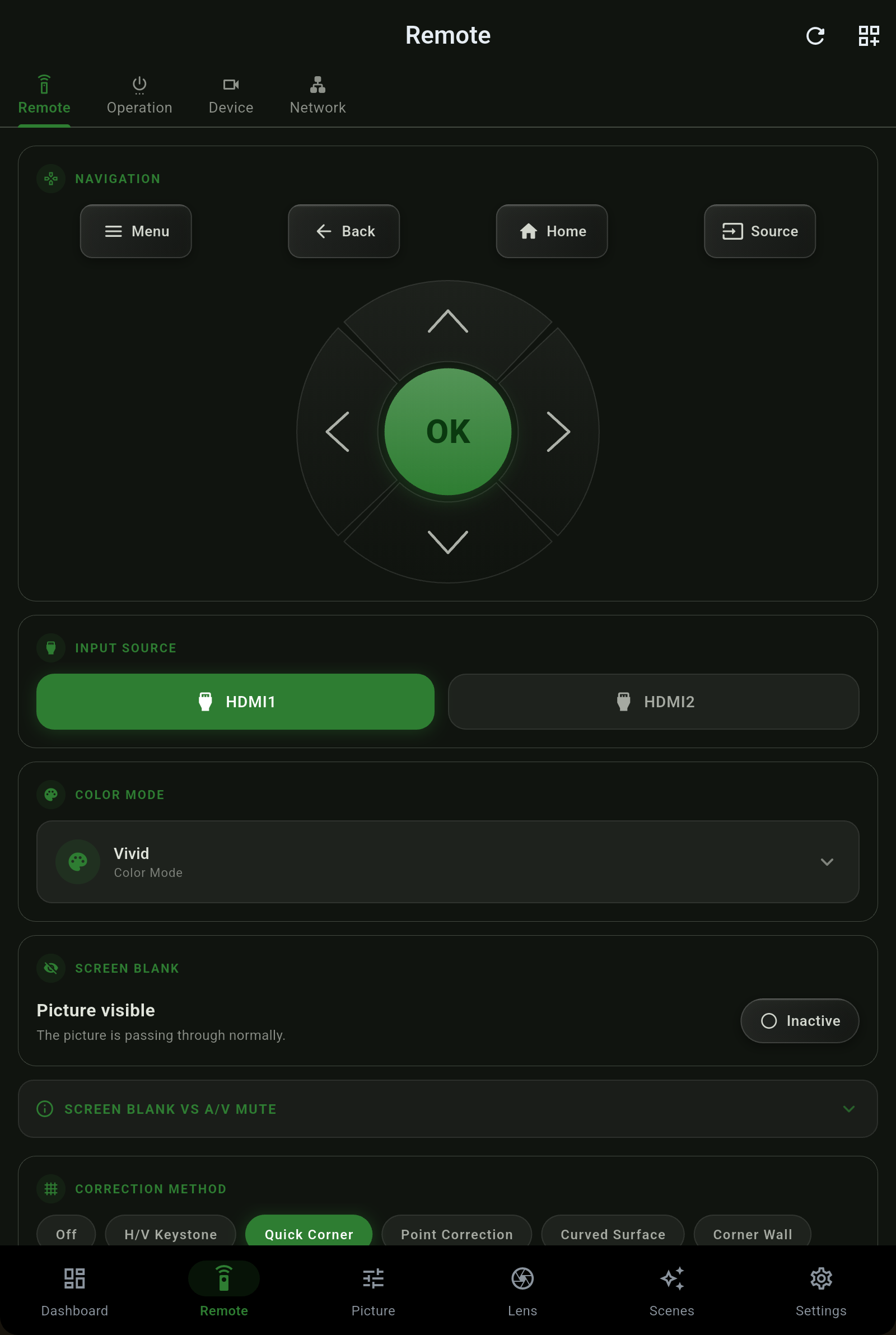
Pick the correction method that matches your install. The app shows the methods your projector supports and only one geometry correction is active at a time, as the hardware requires.
| Method | Use it for |
|---|---|
| Off | No correction - a projector squared to the screen needs none. |
| H/V Keystone | Independent horizontal and vertical keystone for a projector offset up/down or left/right. |
| Quick Corner | Drag each of the four corners into place - the everyday fix for a not-quite-square image. |
| Point Correction | A grid of points nudged individually, for fine local distortion. |
| Curved Surface | Compensate for projection onto a curved screen or wall. |
| Corner Wall | Correct for projecting into a room corner where two walls meet. |
An Epson projector has three separate passwords, and they protect different things. Projector Pilot knows the difference, so entering one you do not need never locks you out of the app.
| Password | Protects |
|---|---|
| Web Control | The projector's web interface and the commands that ride on it - including lens moves and image reads on many models. This is the one the projector's own web page asks for. |
| PJLink | The PJLink protocol (TCP 4352) used by control systems and, in the app, as a fallback transport. |
| Remote | The ESC/VP.net remote-control channel (TCP 3629), the app's preferred transport. |
The Device page surfaces the projector's own locks. When a control is unavailable because the projector froze it, the app says which lock is responsible instead of failing silently.
Network settings live on the projector, because the app reaches the projector over that network. The Network page is a plain read-only view of the projector's addressing with a note explaining why - you change these on the projector's own interface, covered in Getting started.
 Projector Pilot