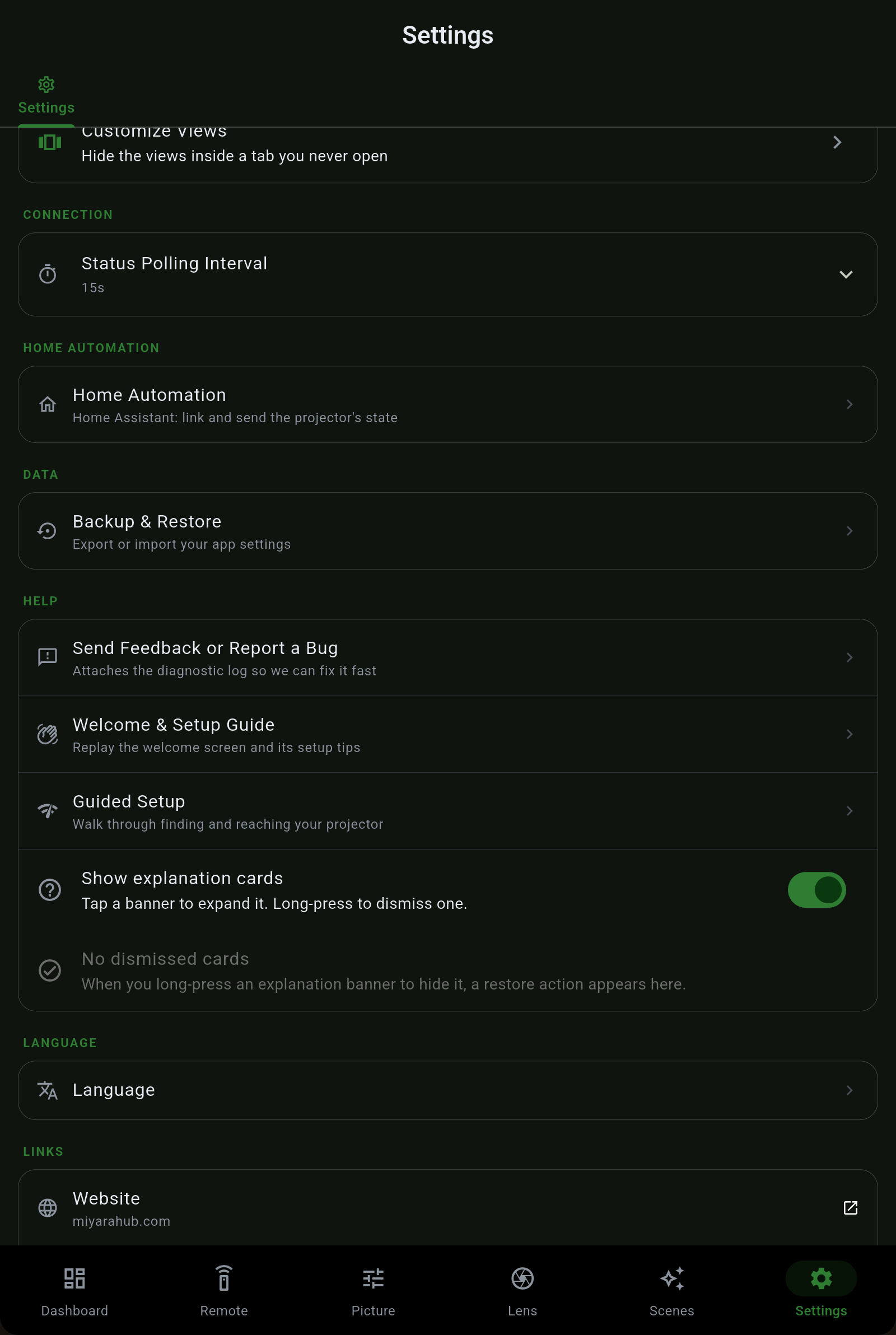
Settings is where you manage your projectors, unlock the app, theme it, tune how it polls, and back the whole thing up. It was reorganised in the latest release so device controls, purchases, appearance and links each sit in one clear place. No ads, no subscription, no cloud account - just the switches that matter.
| Section | What is in it |
|---|---|
| Projectors | Your saved projectors, each with edit, advanced connection, info and delete. Add Projector either scans your network for anything answering a projector or takes an IP address by hand. Advanced holds the per-projector ports and the three separate passwords (Web Control, PJLink and Remote). |
| Projector Pilot Pro | Buy Pro, Home Automation or the bundle, and Restore a purchase. Prices are the Store's, shown in your currency before you confirm. A purchase the store says you already own is granted, not refused. |
| Maintenance & Insights | Lamp or laser hours and filter hours, projected life, a running cost estimate and the hour report. Maintenance guide → |
| Test Pattern | Show the projector's own built-in alignment grid as an honest on-and-off control, for lining the image up on your screen. |
| Theme | Light, Dark, AMOLED (true black) or Brand (signature forest green), plus Color Theme - pick a preset or your own accent color and the app rebuilds its palette around it. |
| Customize Tabs & Views | Reorder the bottom tabs and hide the ones you do not use, and hide individual views inside a tab (Picture / Signal / Display, Lens / Installation, Remote / Operation, Settings / Network / Device). |
| Status Polling Interval | How often the app refreshes the projector's live state. The change takes effect at once, with no burst of queries while you drag the slider. |
| Home Automation | Sign in to Home Assistant, mirror onto Hubitat, and fire webhooks. Home Assistant guide → |
| Backup & Restore | Export and import your app settings. Saved projectors and their passwords stay in encrypted secure storage and never travel in a backup. |
| Help | Send Feedback, the Welcome screen and Guided Setup (both replayable), and a toggle for the explanation cards dotted through the app. |
| Language | System default follows your device; below it every one of the 28 languages under its own name. Languages guide → |
| Links | Website, App Manual (this guide), Discord, Browse all our apps, Privacy and Terms. |
| About | Version, the list of supported projectors with whether each was verified on hardware or inferred, and the privacy controls. |
Projector Pilot is sold in two halves as one-time purchases. Pro is the advanced app; Home Automation is its own purchase; a bundle buys both. Anyone who bought Pro before the split keeps everything Pro had.
 Projector Pilot