The Remote tab drives the projector's own menus and carries every remote key your model documents. It has four pages you swipe between: Remote, Operation, Device and Network.
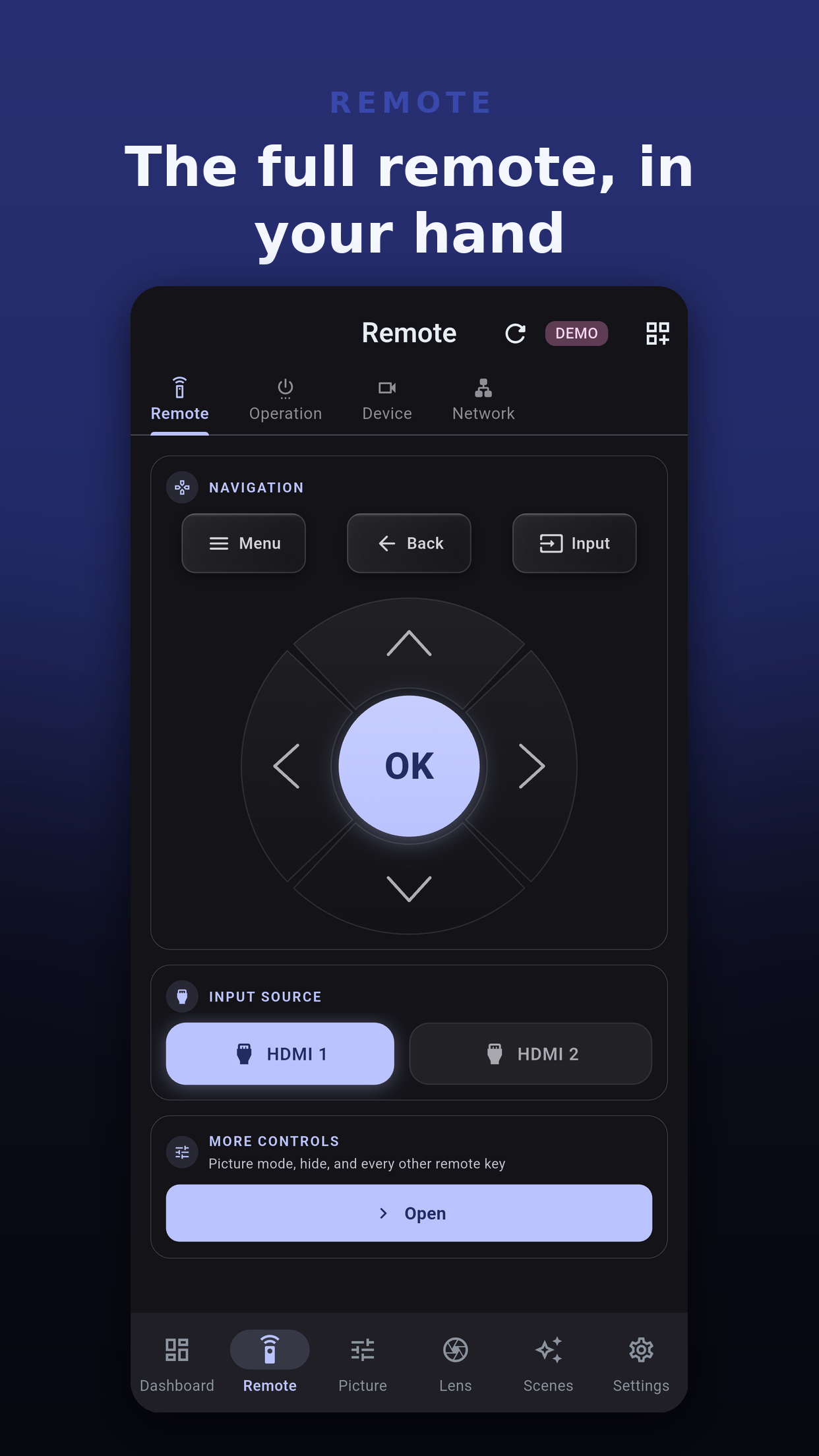
Without Pro, the d-pad keys (Up, Down, Left, Right, OK, Back and Menu) are counted. You get 20 presses over the life of the install, then 3 a day. Pro removes the count.
On iOS and macOS, no: a second copy is kept in the Keychain and the higher count wins. On Android the count starts again after a reinstall unless Android's own backup restores the app's data. On Windows it starts again after a reinstall.
More controls is a Pro page. It starts with a picture mode card when your model can set it, then Hide, then the remote keys grouped by what they do. Only the keys your model's table documents appear.
| Group | Examples |
|---|---|
| Hide | Hide, Hide on, Hide off. |
| Content type and HDR level | Keys that step the content type and the HDR level. |
| Color | Gamma, Color temperature, Color profile. |
| ISF | The ISF picture keys, on models that support them. |
| Motion | Clear Motion Drive menu, Low Latency. |
| Lens and Installation | Lens control, Aperture, Anamorphic A to D, Setting Memory for the installation modes. |
| Aspect, Menus and Operation | Aspect keys, Info, Advanced menu and the other menu shortcuts. |
| Test Pattern | The test pattern key. |
Each JVC generation has its own key table, and the app picks it from the model code the projector reports. A key your model does not have is not offered. If a key ever reaches a model without it, the app sends nothing and names the control and the model, ending "Nothing was sent." A model the app does not list still gets power, input and the remote keys.
The Operation page holds Off Timer, Eco Mode, Trigger, Hide Eco and Control4, on models that support them. All are Pro.
The Device page (Pro) has two sections. Projector shows the model code and the other readings your model reports about itself. Signal shows what the projector reports about the incoming signal, and is left out when there is no signal. Tapping a projector in Settings opens the same details as Device Info.
The Network page (Pro) shows the projector's Wired LAN settings: DHCP, IP Address, Subnet, Gateway, Port and MAC Address, as far as your model reports them. They are read-only on purpose: the app reaches the projector over that same network, so changing the address from here would cut its own connection. Change them in the projector's on-screen menu, then reconnect; Getting started covers moved projectors.
Up, Down, Left, Right, OK, Back and Menu, and only when the press is sent to a connected projector. Power and HDMI 1 are always free.
The app shows the keys your model's command table lists. A key your model does not document is not shown.
Yes, and presses on the demo are never counted.
 Projector Pilot D-ILA