A scene saves the projector's current settings under a name, such as Movie Night, and puts them all back with one tap. Scenes belong to each projector and are part of Pro.
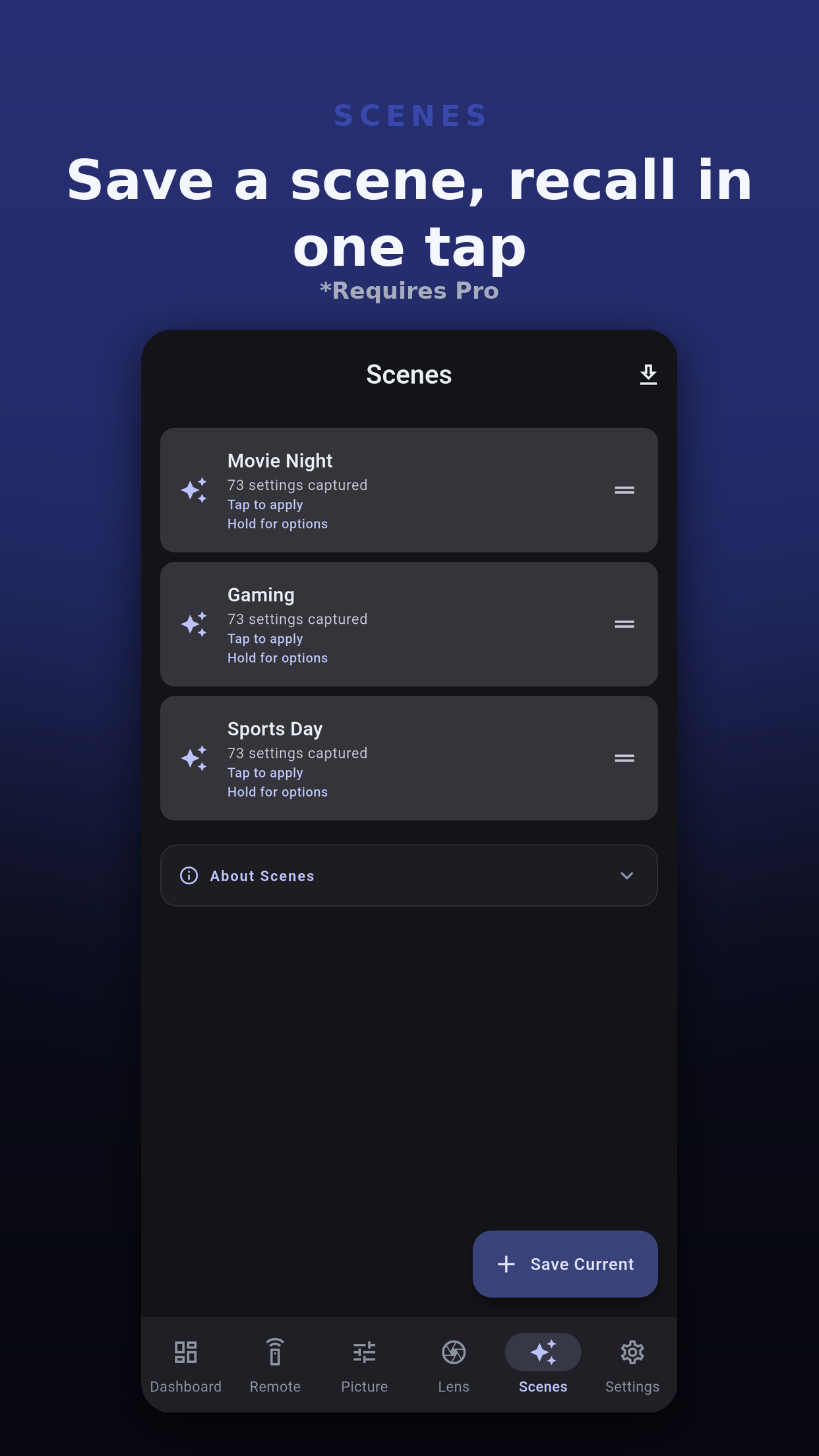
A scene captures only the settings your model offers.
| Group | Covers |
|---|---|
| Power | Whether the projector should be on. |
| Input source | The input to switch to. |
| Color mode & picture | Picture mode and the picture settings. |
| Signal & HDR | Signal and HDR settings. |
| Light output | Light output settings. |
| Geometry | The anamorphic setting. |
A tap applies the scene at once, with no confirmation. A scene that turns the projector on waits for it to warm up before it sends the rest.
When it finishes, a report lists what happened to each setting, so a scene never claims more than it did:
Export & Share writes a scene as a .ppscene file, a small JSON file you can send to another device or another person.
Each scene holds only the groups you tick, so a small scene changes only what it names.
Up to 20 for each projector.
No. A scene holds the groups listed above. Recall a lens memory from the Lens tab, the dashboard Lens Memory card or a Home Assistant script.
The report after applying lists it as Rejected, and the rest of the scene still applies.
Yes. Export it as a .ppscene file. When they import it, the app shows what applies on their model and what is left out.
 Projector Pilot D-ILA